Your team’s unfair advantage
starts in the Speed Lab.
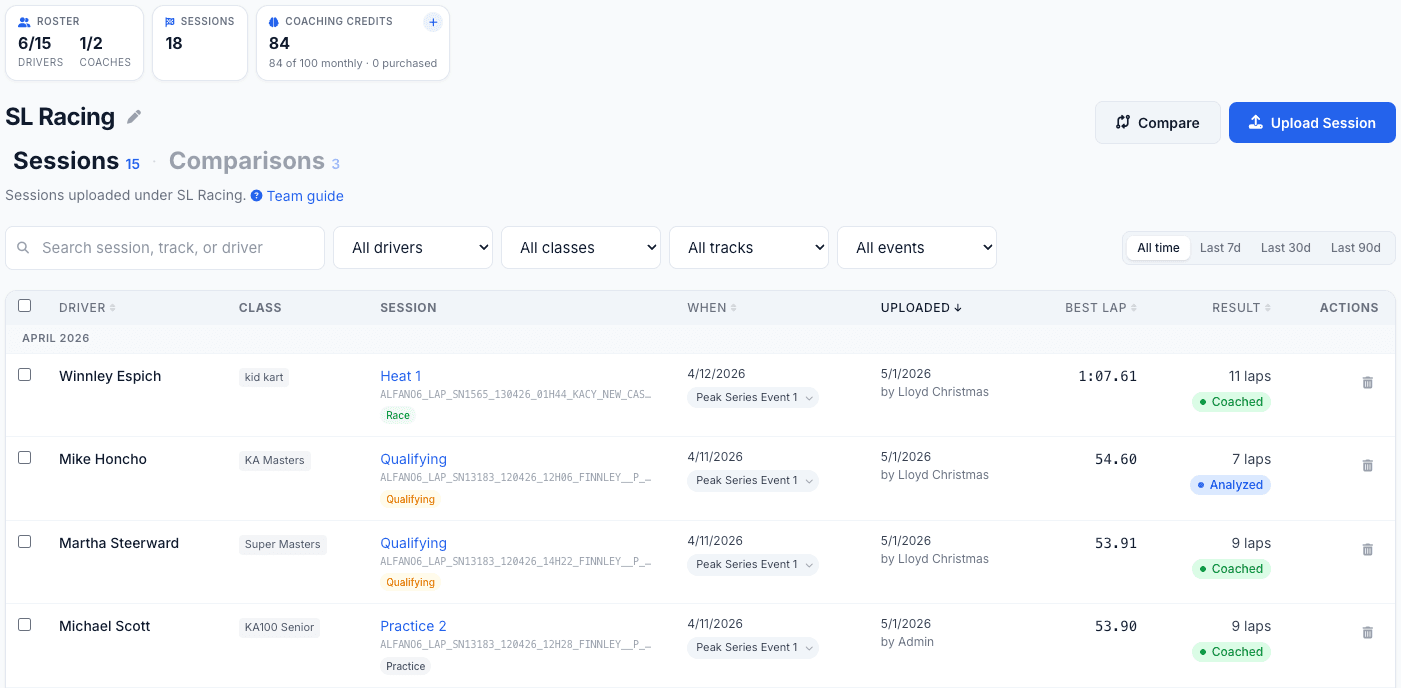
See where every driver is leaving lap time. Compare them to their teammates. Turn it into a plan they can run next session.
From club teams to factory programs, and everything in between.
How It Works for Teams
Build the roster. Upload the telemetry. Find the time in every driver’s data.
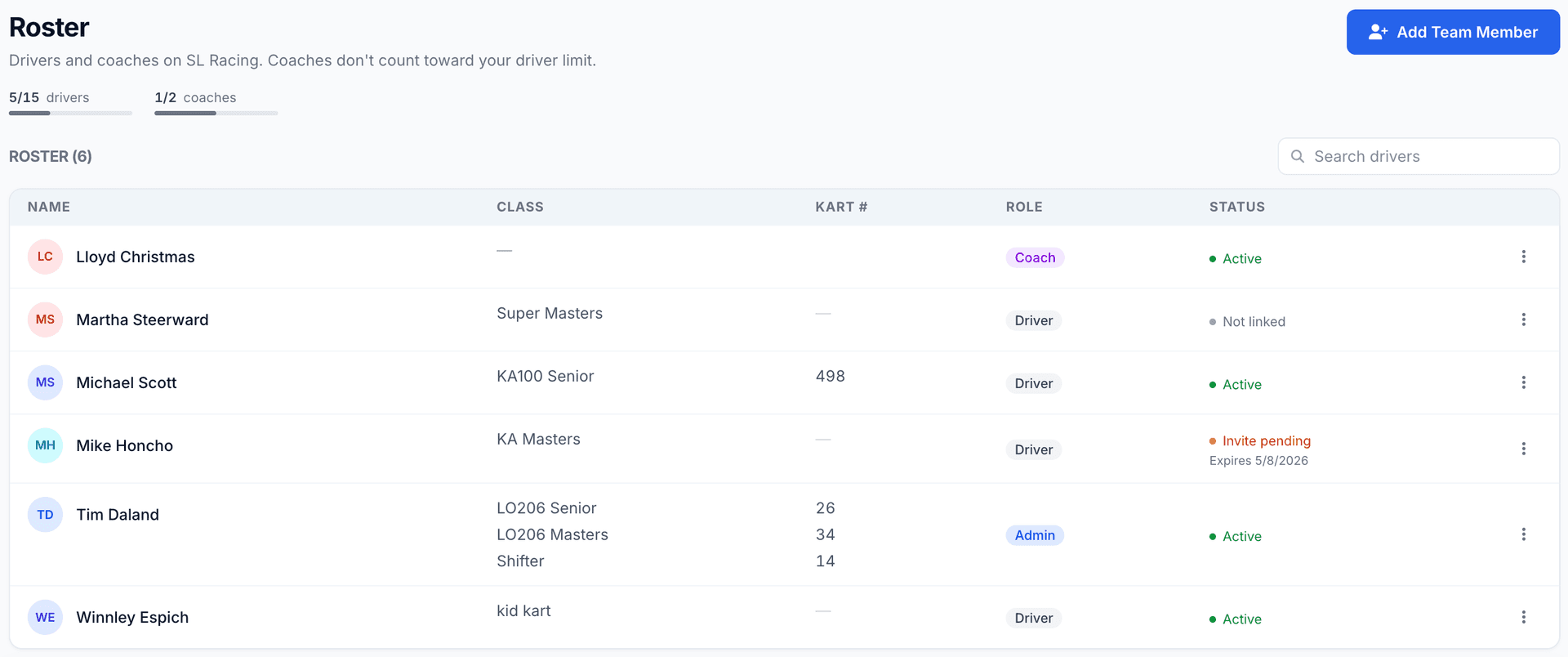
Build the roster
Invite coaches and drivers. Shuffle seats between race weekends as your lineup changes.
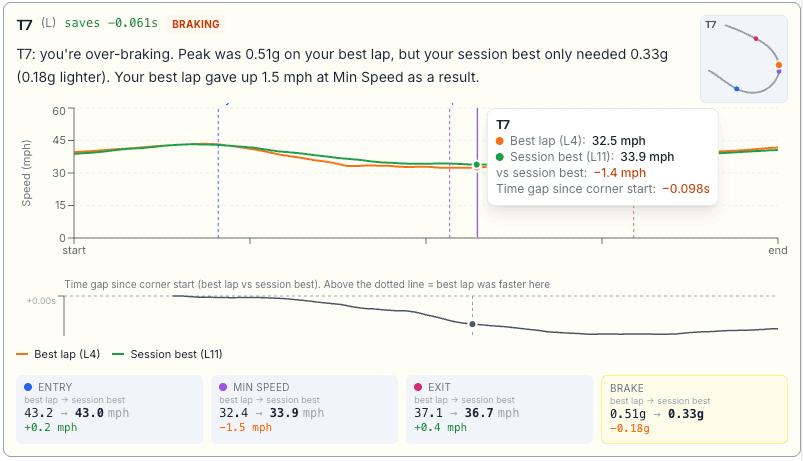
Turn telemetry into lap time
You and your coaches upload a driver’s session, let the Speed Lab analysis spotlight the sections costing them time, and generate an AI coaching report that pinpoints exactly where the tenths are hiding.
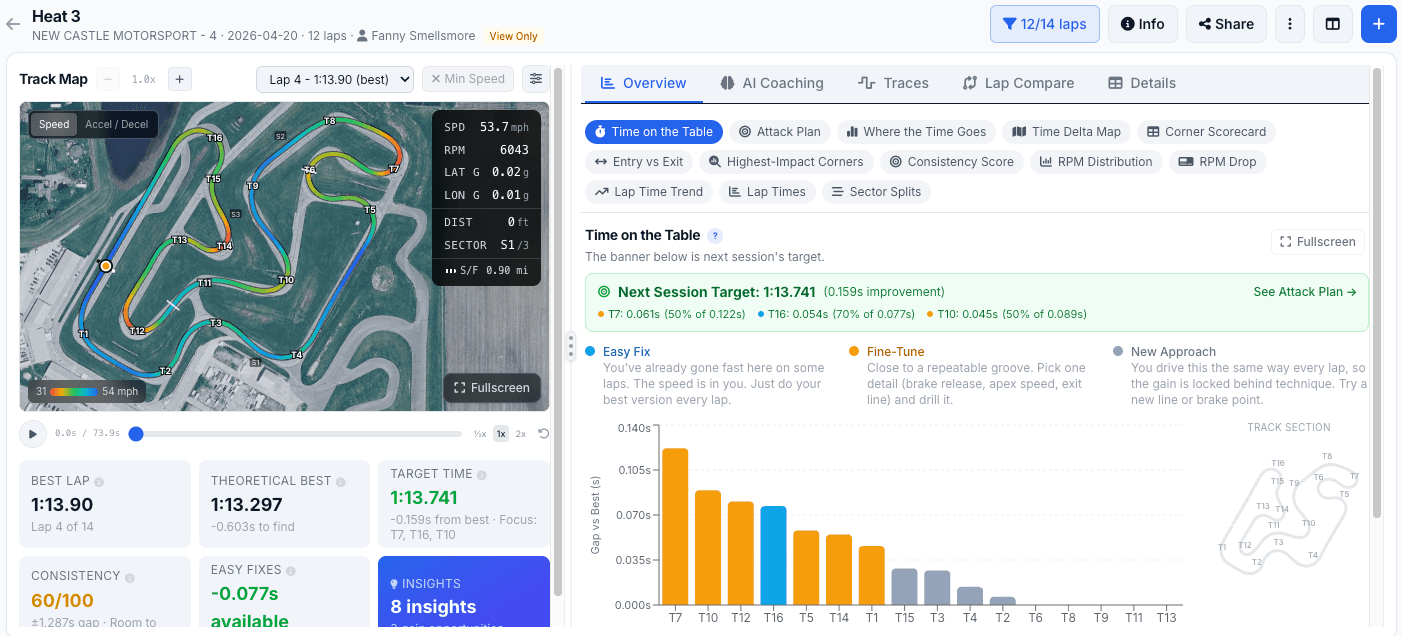
Drivers see what coaches see
Same telemetry, same comparisons, same coaching notes, in their own dashboard. They show up to the next session knowing exactly what to fix.
Bring the whole team along
Drivers view the sessions and coaching reports you assign them on the website or the free Kart Track app. No subscription required.
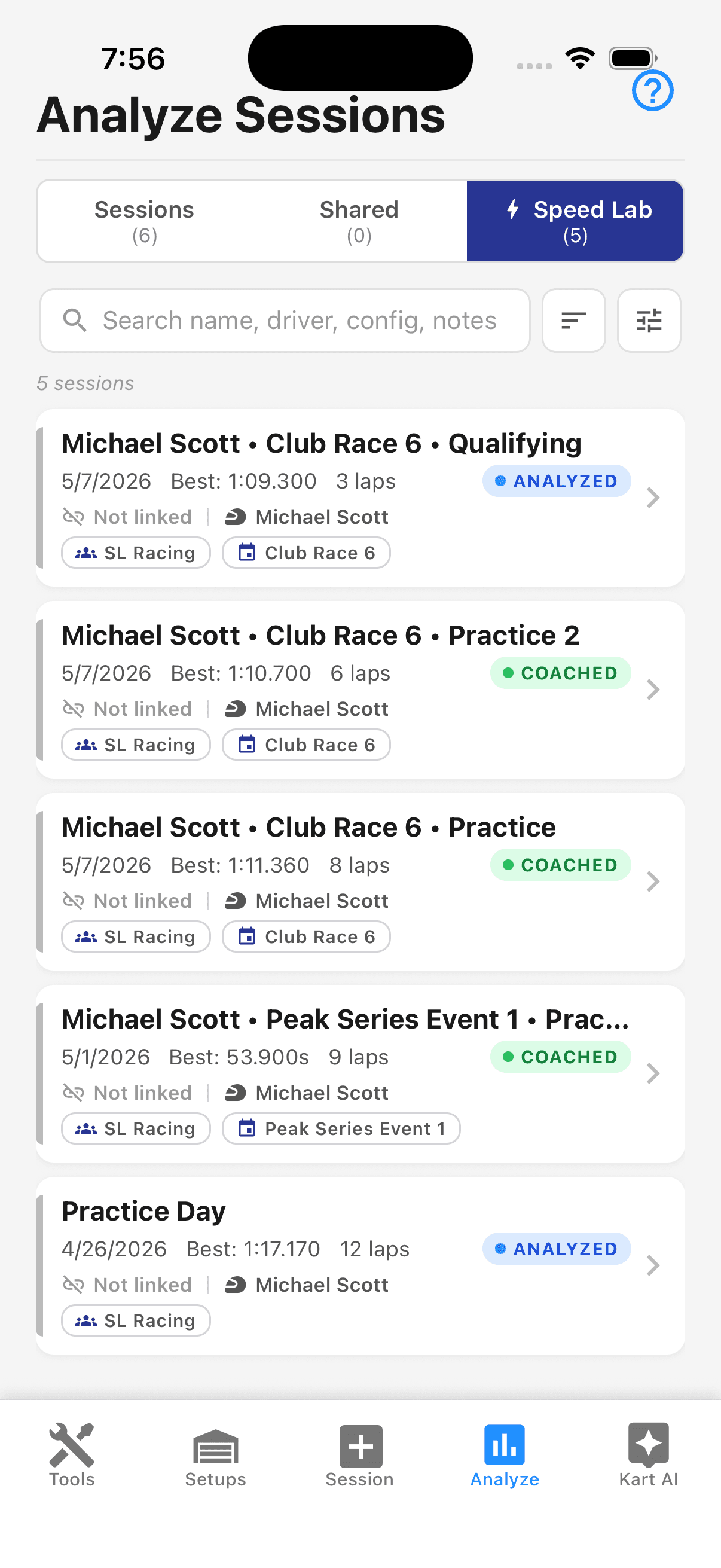
Every session you assign, in their pocket.
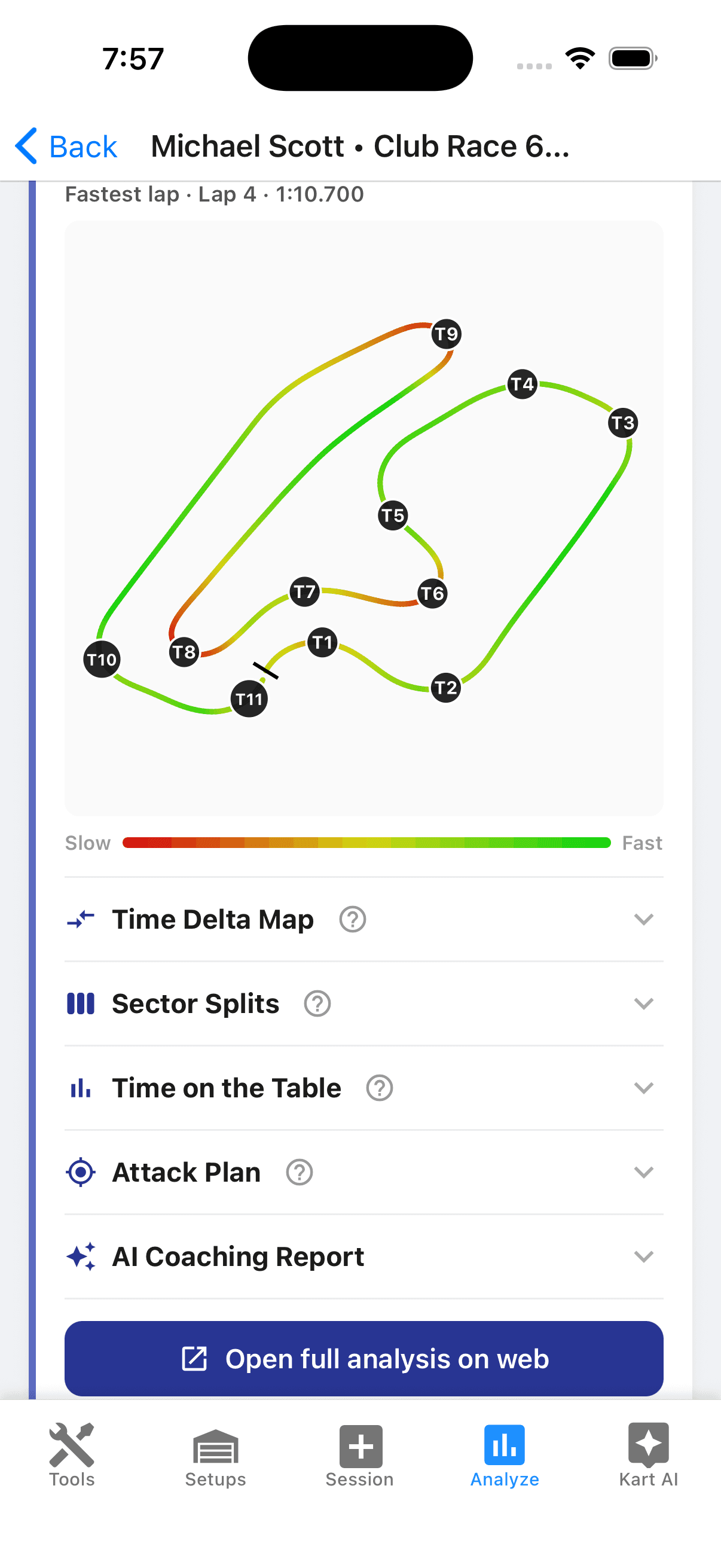
The same Speed Lab analysis coaches see.
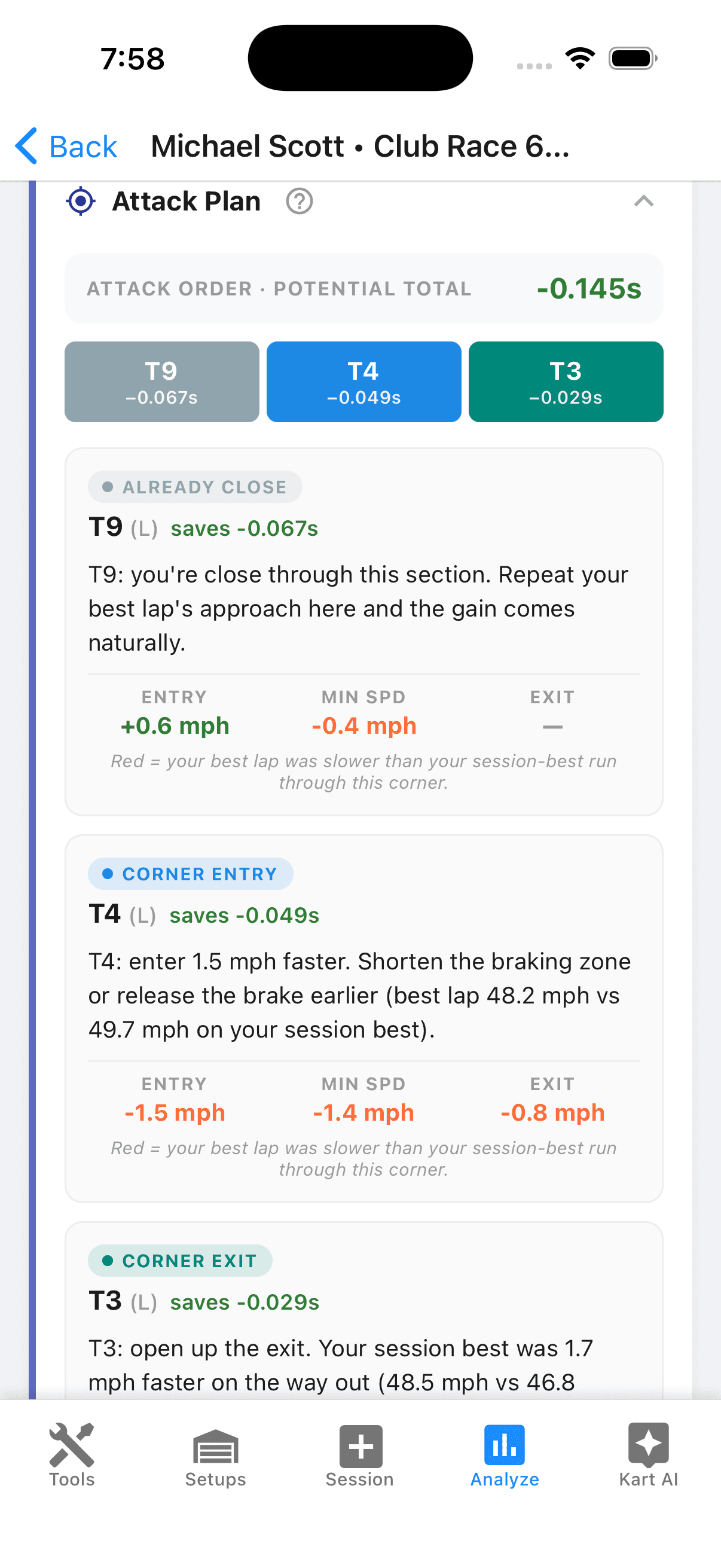
A clear plan for the next session.

Your competition won’t know what hit them.
What Your Team Gets
Everything in the individual Speed Lab, plus the team-only pieces that help take your team to the next level.
Pooled Coaching Credits
A shared credit pool for you and your coaches to spend however you see fit.
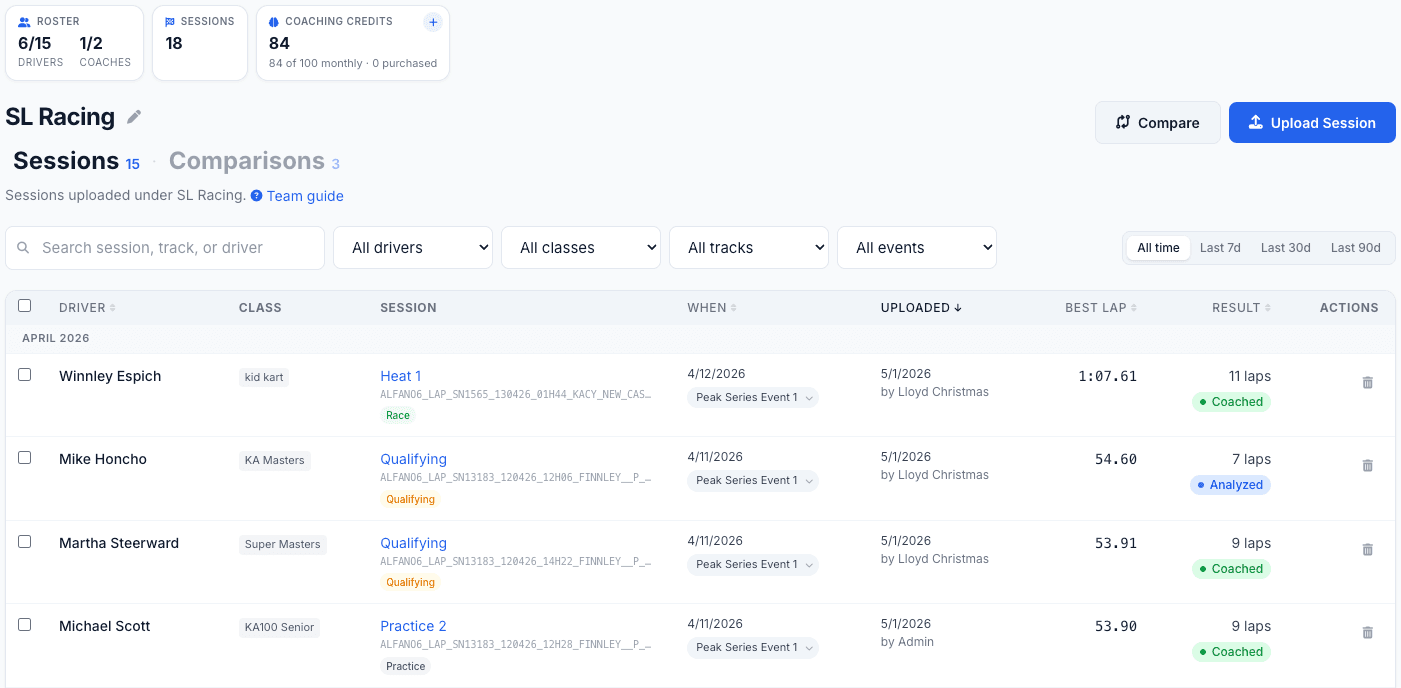
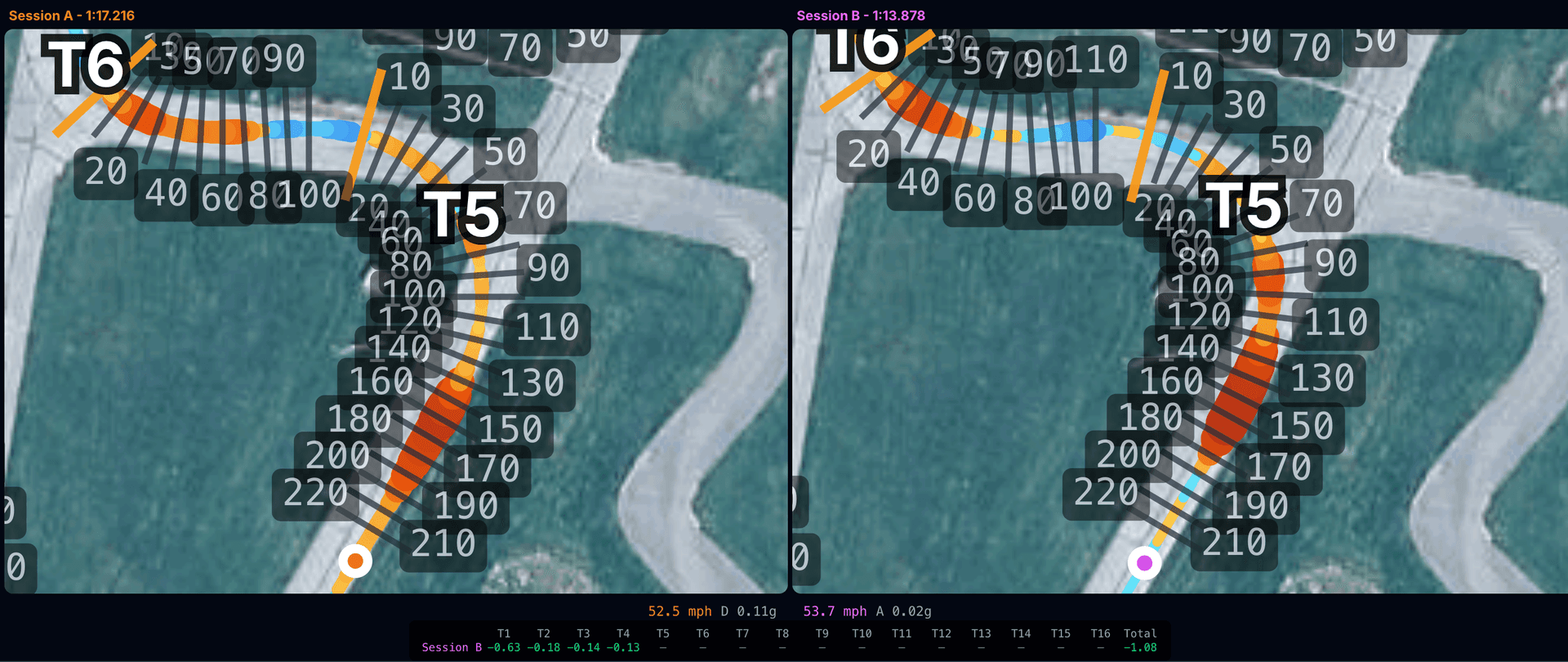
Driver-vs-Driver Compare
Pull up any two drivers from your roster and overlay their sessions. Speed traces, track maps, sector deltas, the works. Even works across data loggers, so a Mychron driver and an Alfano driver can finally settle it.
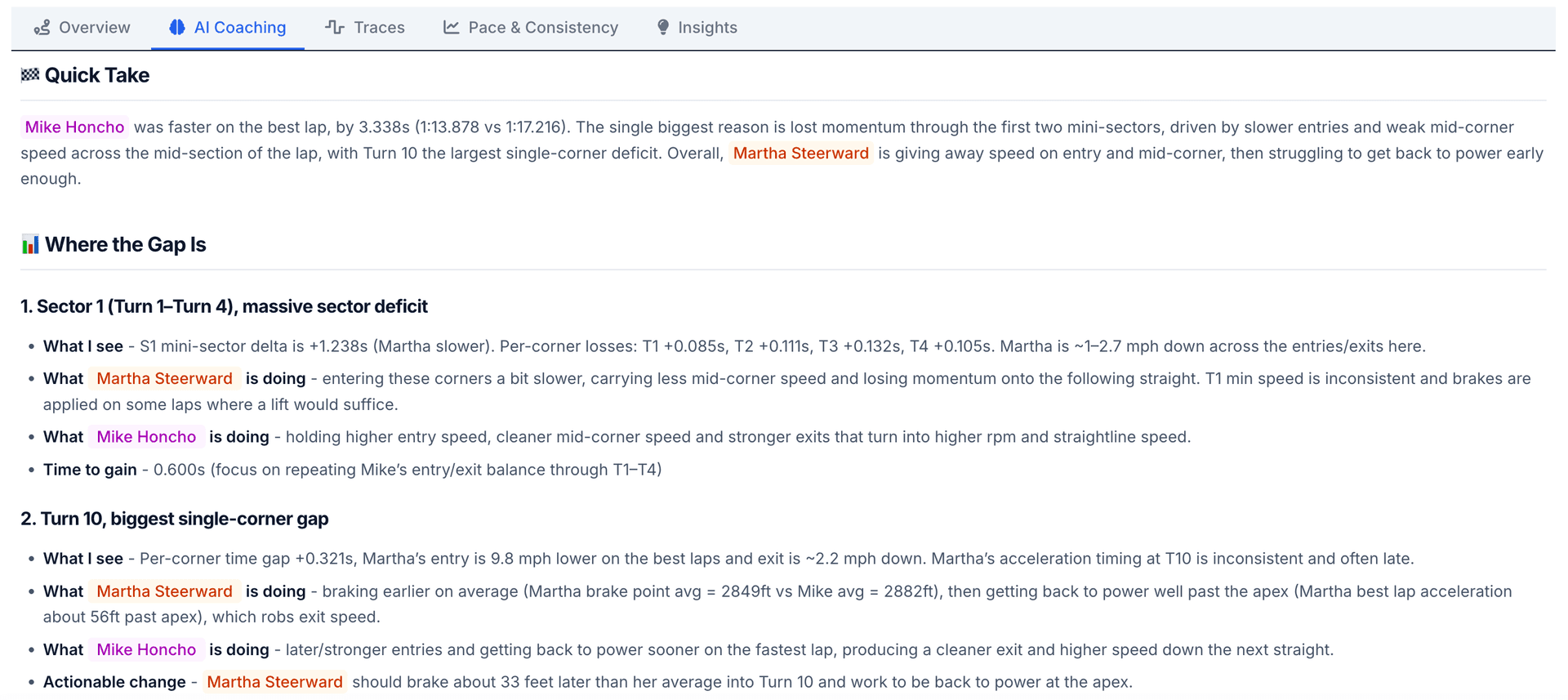
AI Finds the Lap Time
Run an AI coaching report on any two drivers head-to-head. The report calls out exactly which corners are costing one driver time, and where the faster driver is gaining it.
Roles That Make Sense
Admins run the show. Coaches upload, analyze, and coach. Drivers see their own data.
Who Can Do What
Three roles, clear lanes. Pick the one that matches the job and stop worrying about it.
| Capability | Admin | Coach | Driver |
|---|---|---|---|
| View own sessions and reports | |||
| Upload sessions for any driver | |||
| Run AI coaching reports | |||
| Compare any two drivers | |||
| Manage roster (invite / remove / role changes) | |||
| Manage billing and seat count | |||
| View team usage analytics | |||
| Top up shared credits |
Team uploads happen on the web, best on a computer
The team workspace lives in the Speed Lab on the web, where admins and coaches handle uploads, the roster, and the credit pool. Drivers get their assigned sessions and reports there too, or in the free Kart Track app.
Team Questions, Answered
How do pooled credits actually work?
Your team has one shared credit balance instead of a per-driver one. Anyone with Admin or Coach access can spend credits on any driver in the roster. Topping up is a single transaction that the whole team draws from.
How many seats do I get?
Seat caps depend on the tier you pick. The pricing page lays out the seats, monthly analyses, and monthly coaching credits for each team plan side-by-side. See team plan details →
Can drivers see each other’s data?
No. Drivers only see their own sessions and reports. Admins and coaches can see the whole roster, which is what makes driver-vs-driver comparison possible without giving every driver a window into everyone else’s data.
Can a coach or driver be on multiple teams?
Yes. Any user can belong to more than one team, and the team switcher in the navbar lets them jump between workspaces. Each team’s data stays isolated and isn’t accessible from other teams.
How does billing work?
One subscription per team, paid by the team admin. Seat count and credit allotment scale with the tier. If you need a custom seat count, or anything else off the menu, just send us a note. Email info@karttrackapp.com →
What happens if I remove someone from the team?
They lose access to their team session data right away. Any sessions uploaded for them stay with the team so the rest of your roster can still pull them up. Sessions the driver uploaded under their own account stay with them. Coaching credits already spent are not refunded.
What about Mychron vs Alfano on the same team?
Mix and match. Speed Lab parses both formats into the same internal model, so a Mychron driver and an Alfano driver on the same roster can be compared lap-for-lap without a sweat.

Ready to find the time?
Sign up today and put the power of the Speed Lab behind every driver on your roster.