Leaving time on the track?
Speed Lab finds it.
Speed Lab turns your lap data into coaching you can actually use. Drop in a Mychron or Alfano session and see exactly which corners are costing you time & how to fix it.
Built for karting. Rookies to national-level teams.

Purpose Built For Karting
Not a repurposed car-racing tool.
Every chart and metric is tuned for kart telemetry, kart-scale corners, and how karts actually behave. Mychron and Alfano, natively.
How It Works
Export your data & upload into Speed Lab
Export a CSV from Race Studio or download the ZIP from your Alfano app and upload to the Speed Lab.
See how to export →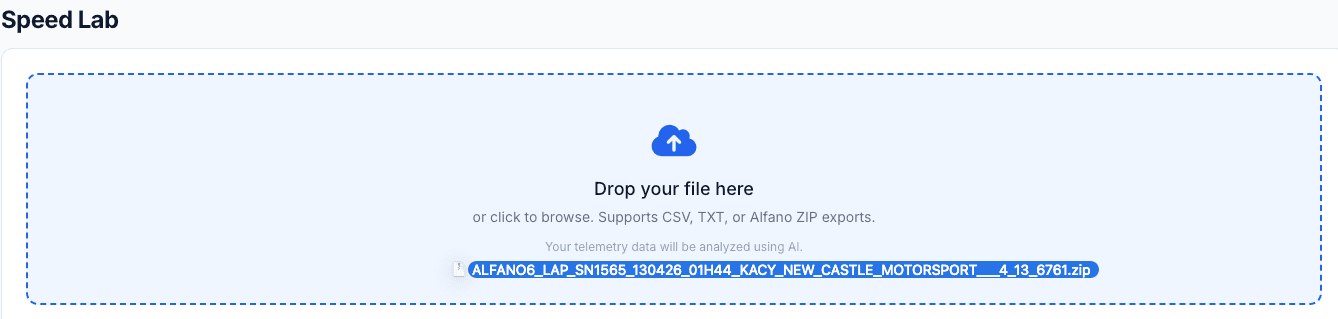
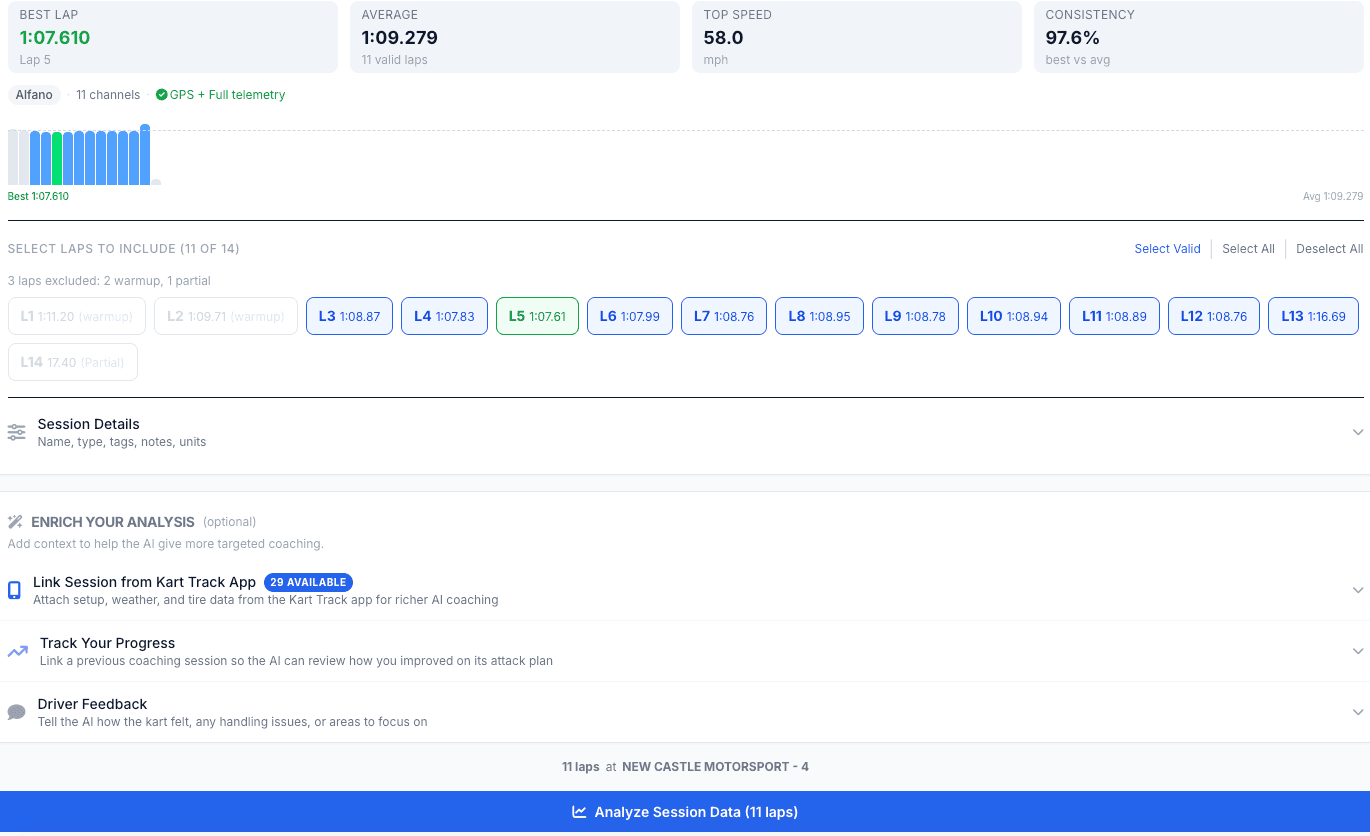
Pick your laps and details
Pick which laps go under the microscope. You can also link a session from the Kart Track app to pull in your setup, weather, and session notes too.
Step into the Speed Lab
Track maps, speed traces, sector deltas, and an optional AI coaching report with your top 3 areas to fix. Everything in one place.
See a live example →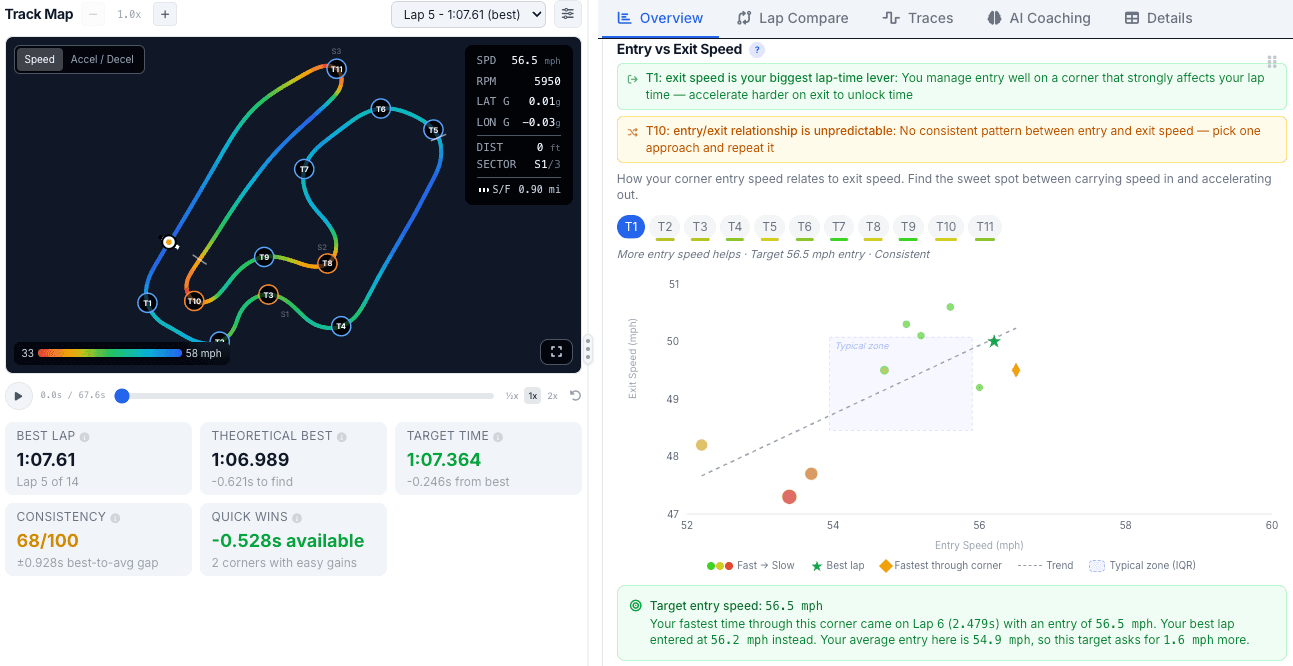
Find Time. Fast.
Raw data in. A dashboard you'll actually use out, with AI coaching built in. Go deep, or just read the report.
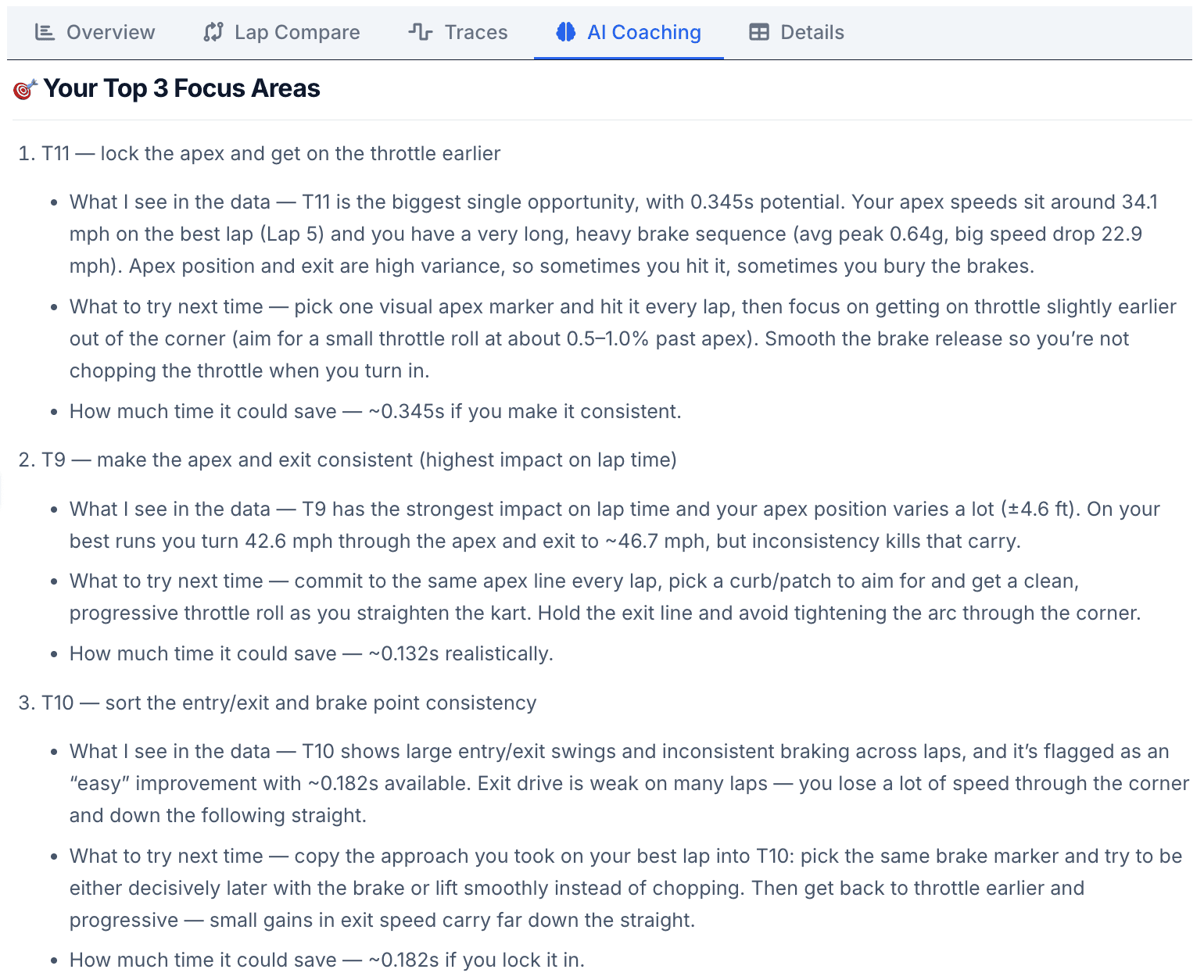
Top 3 Focus Areas
Your AI Coaching Report calls out the 3 biggest things that will make you faster, with specific data references pulled from your session.
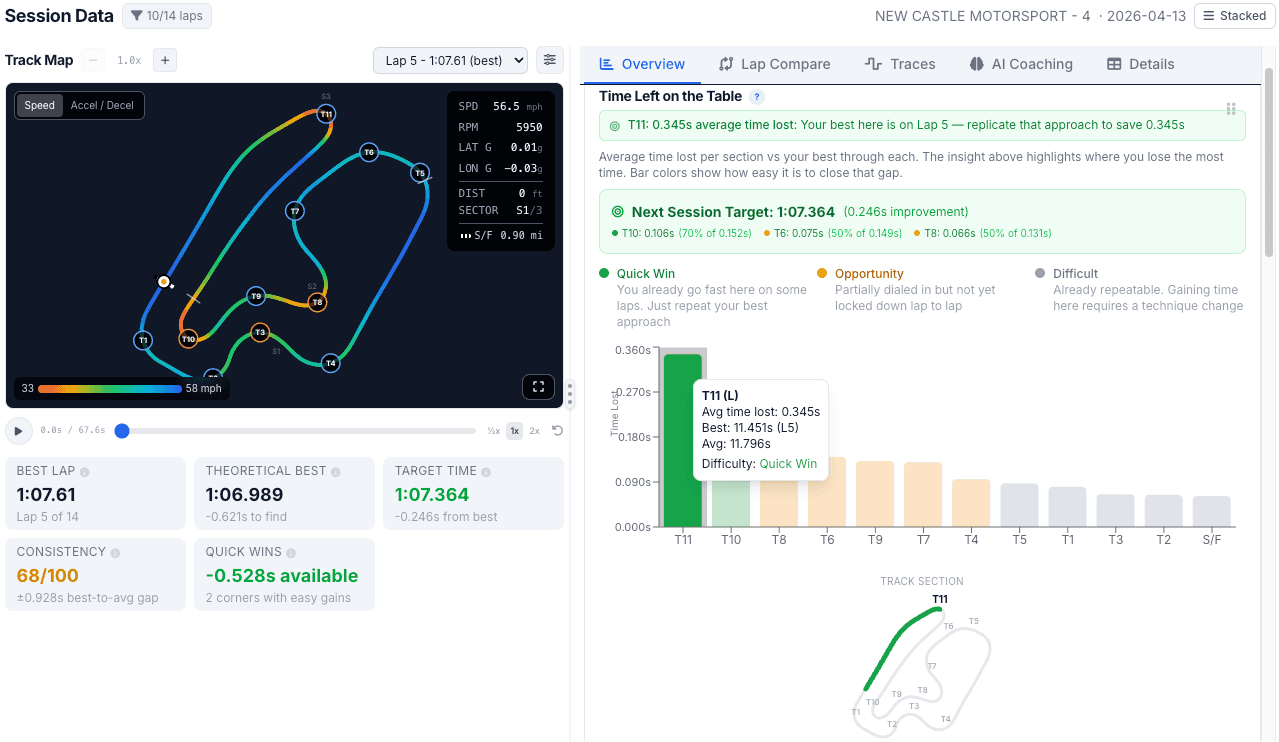
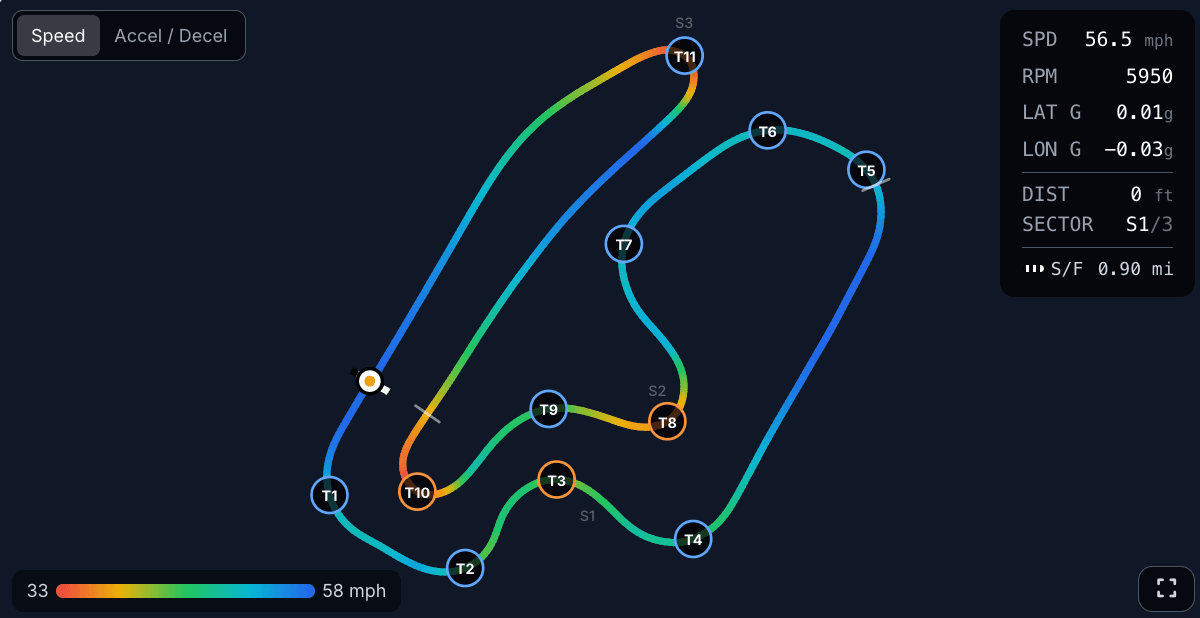
GPS Track Map
Speed heatmap on your racing line so you can see exactly where you are fast and slow.
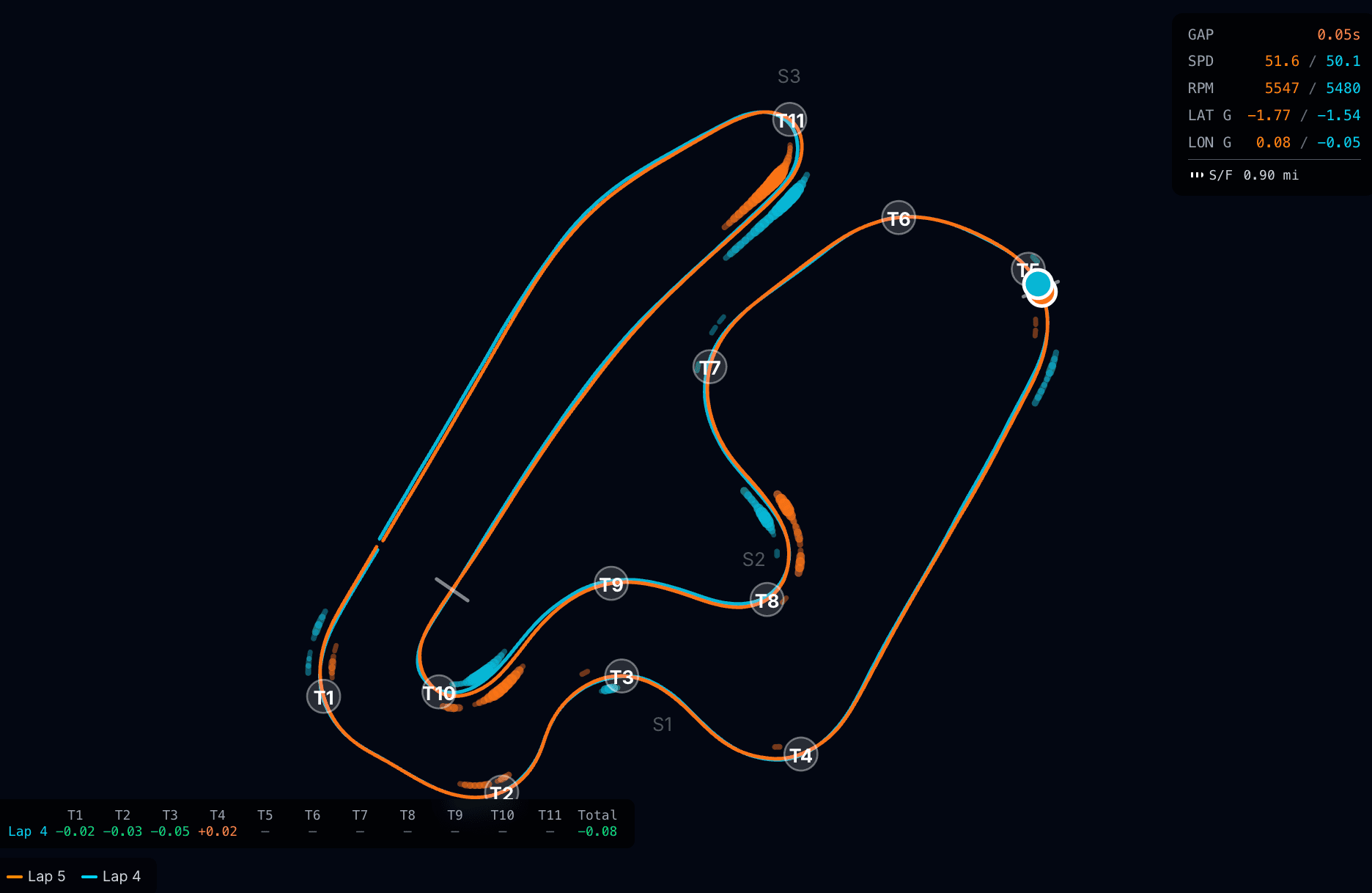
Racing Line Overlay
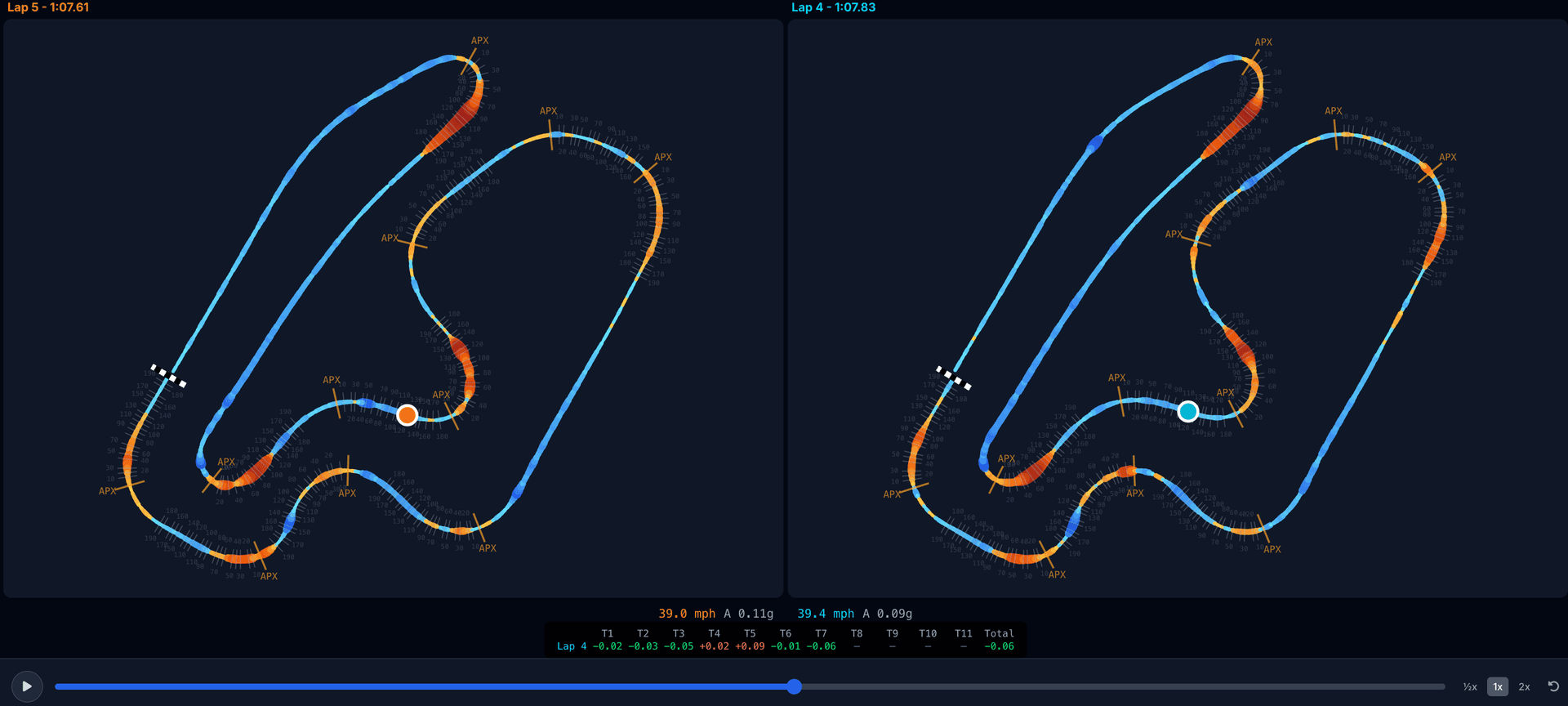
Compare racing lines across laps with deceleration traces so you can see exactly where braking points differ and where you leave time on the table.
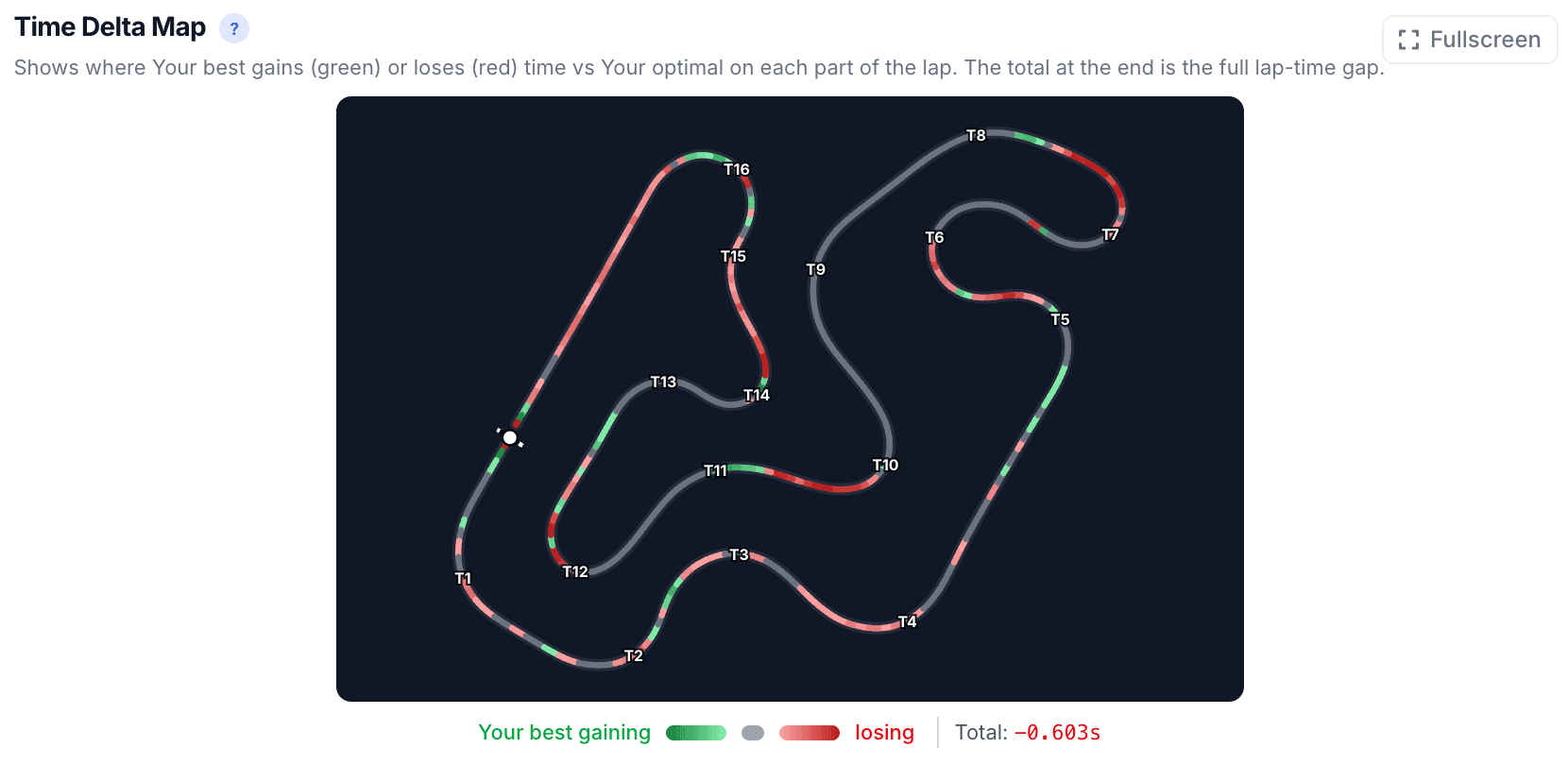
Time Delta Map
Every tenth, mapped to the track. See where the lap came alive and where it slipped away.
Session Comparison
Stack two sessions side-by-side and find your time. Brake zones, min speeds, and per-corner deltas, all in one view. You can mix and match data loggers too: put a Mychron session next to an Alfano session in the same view.
Advanced Analytics
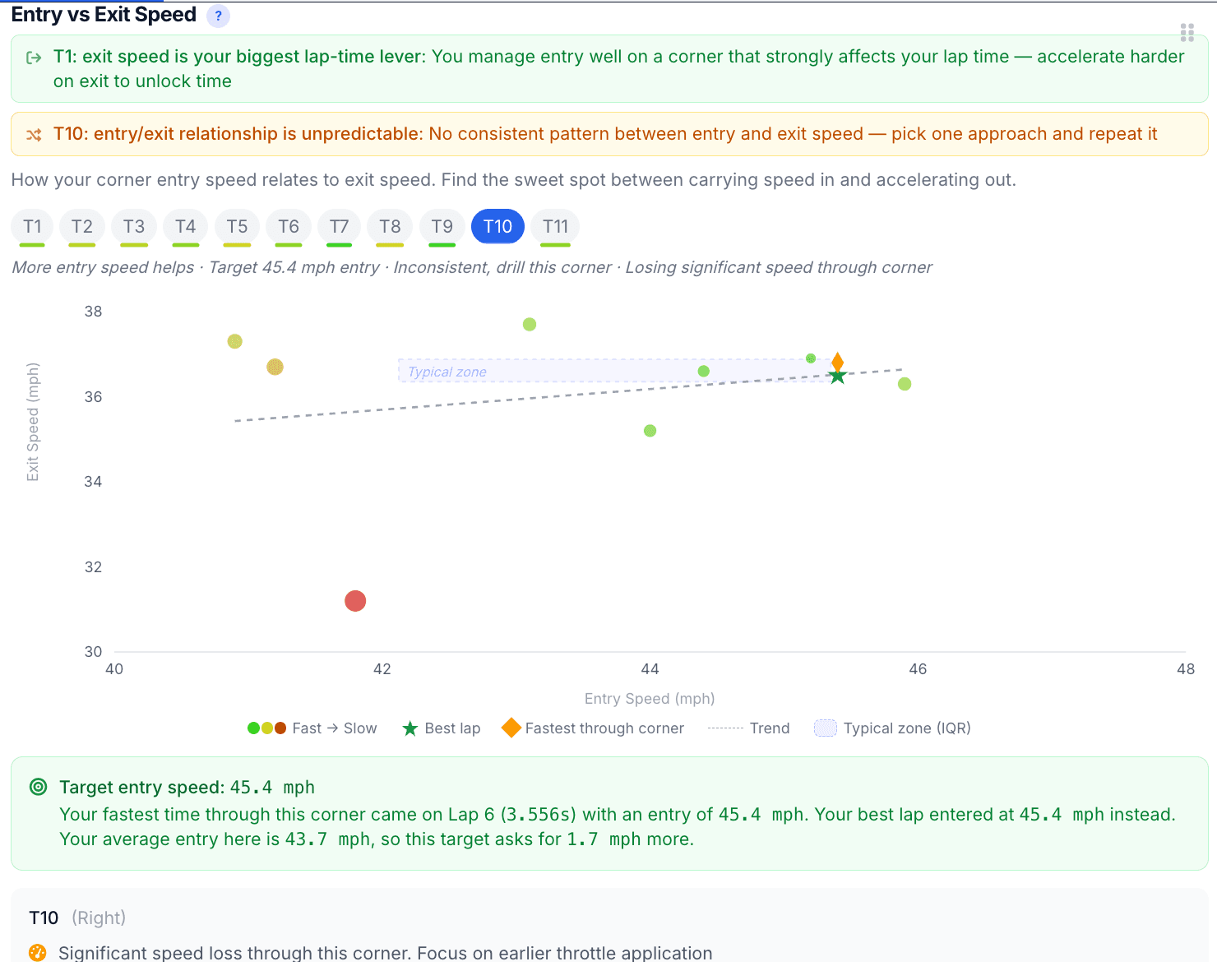
Trace overlays, Corner Scorecard, Entry vs Exit, Highest-Impact Sections, and much more. Complex data, made simple.

Your team’s unfair advantage.
Running a race team?
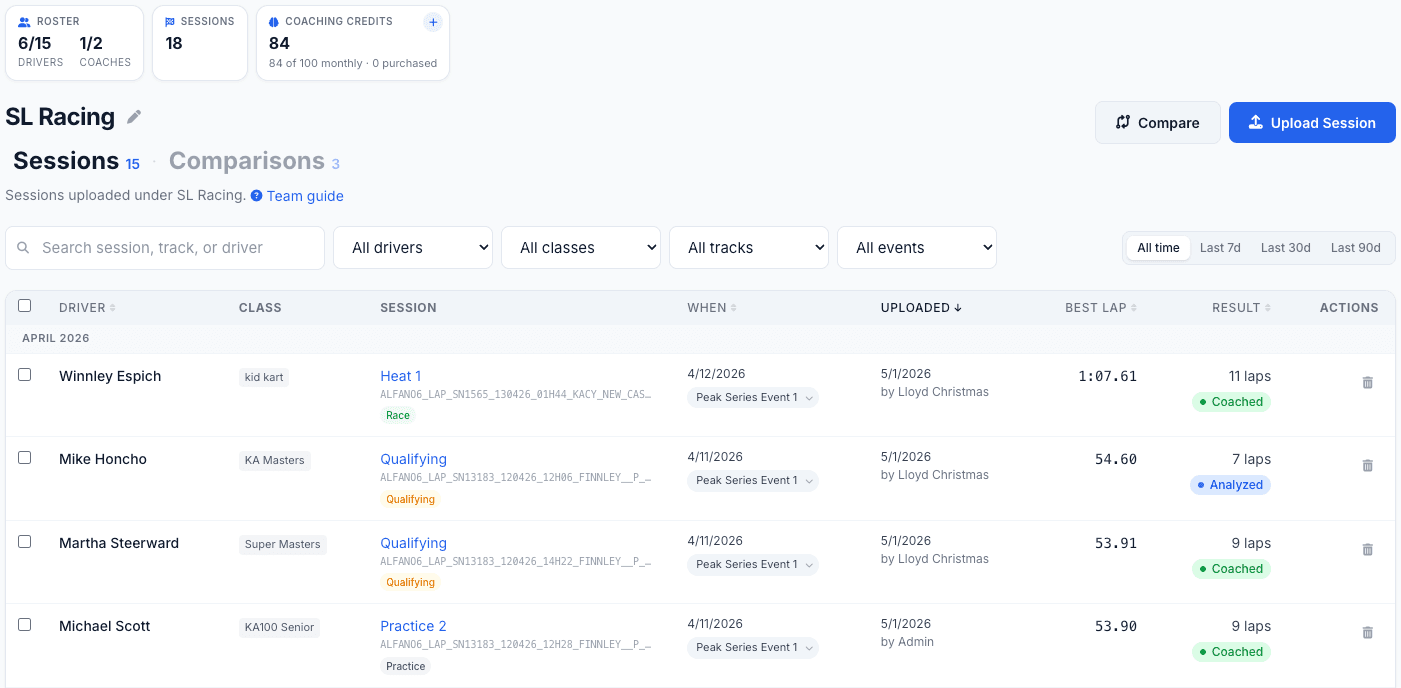
One workspace for your whole roster. Pool coaching credits across the team, manage your coaches and drivers, compare any two drivers lap-for-lap, and show every driver where to find time.
- One workspace for your whole roster
- Pooled coaching credits, no per-driver math
- Compare any two drivers lap-for-lap, even across Mychron and Alfano
- AI coaching reports that find the time
Frequently Asked Questions
What file formats are supported?
CSV exports from Race Studio (Mychron 5/6), Alfano 6 native exports (.csv or .txt), and Alfano ZIP archives. We auto-detect the format when you upload. See our how-to guide for step-by-step export instructions. How to export your data →
What data do I need?
At minimum, lap times and speed data. For the best analysis, include GPS, RPM, and throttle channels. The more data channels you export, the more detailed your analysis will be.
Is my data private?
Yes. Your telemetry data and coaching reports are private to your account. You can optionally share individual reports via a private link that you control.
How does Speed Lab work?
We read the telemetry file so you don't have to. Speed Lab parses your file and extracts detailed metrics for every lap and corner. You can explore the data with actionable insights in the dashboard, and optionally request AI coaching that gives you a report with specific, data-backed feedback.
Can I compare session data?
Absolutely. The side-by-side comparison tool lets you overlay speed traces and track maps from different sessions to pinpoint exactly where you gained or lost time. Link sessions together to track your progress over time, and the AI will reference your previous coaching when giving new feedback.
Can I compare a Mychron session against an Alfano one?
Yes. Speed Lab parses both formats into the same internal model, so you can overlay a Mychron lap directly on top of an Alfano lap and watch the speed traces line up against each other, corner by corner. You can also drop them side-by-side if that reads easier for you. Useful if you switched data loggers, share a kart with someone on a different system, or want to line up your data against a teammate’s.
How do session analyses and coaching credits work?
Session analyses let you upload and explore your telemetry data in the dashboard. Coaching credits are used to generate AI-powered coaching reports with personalized feedback. Pro subscribers get 2 analyses and 1 coaching credits per month, while Ultimate subscribers get 30 analyses and 15 coaching credits per month. You can take a lap through the live demo to see what a full analysis looks like before subscribing. See full plan details →
Is there a plan for race teams?
Yes. Race Team plans give you a shared team workspace in the Speed Lab where admins and coaches can manage a roster of drivers, upload sessions on behalf of drivers, and draw from a shared pool of coaching credits. Roles cover Admin, Coach, and Driver, and seat caps scale with the tier you pick. Heads up: Teams is web only for now, not in the mobile app yet. See team plans →
Does my subscription include the Kart Track app?
Yes. One subscription gets you the Speed Lab on the web and the Kart Track app on iOS and Android. Sign in with the same account on each and you have full access on both. See plans →
Why does session analysis happen on the web?
Telemetry files export from desktop software like Race Studio, so it makes sense to upload and analyze them where the files already are. The web also gives you the screen space to dig into your dashboard, speed traces, and track maps.

Ready to step into the Speed Lab?
Upload a session and see what’s been hiding in the data.
Also available on mobile